Organize around the meal
Separate starters, mains and desserts so guests can find their place. Use concise descriptions for ingredients and preparation rather than long promotional paragraphs.

For restaurants
A branded restaurant menu with structured categories, item imagery and clear prices.
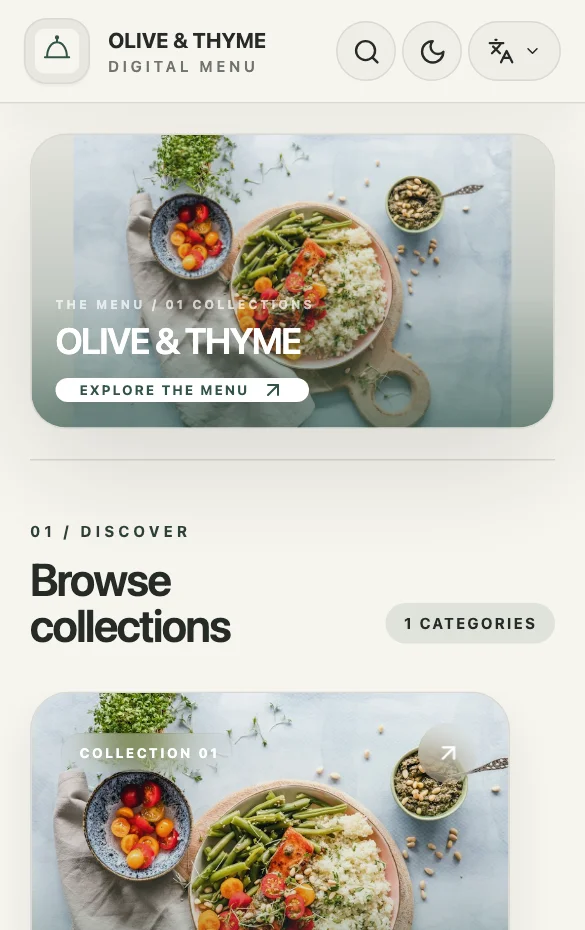
Restaurant menus need to explain a meal, not just display a list of names. Organize the sequence from starters to mains and desserts, make genuine serving options clear, and keep information consistent between the public menu and the team taking requests.
Separate starters, mains and desserts so guests can find their place. Use concise descriptions for ingredients and preparation rather than long promotional paragraphs.
Use labeled price options for genuine variations such as size or serving. Review every label and price from the guest’s phone view before publishing.
Where WhatsApp ordering is enabled and configured, customers can send their selection as a message. Confirm fulfillment directly with them; the menu does not process payment or delivery.
A PRACTICAL EXAMPLE
In an illustrative grill menu, use a dish description to explain what accompanies the meal. If the same dish has individual and sharing portions, label those price options explicitly. Put dietary or ingredient details you can stand behind in the description; do not rely on an unexplained badge. Check the final menu at a table on a phone, where photos and long descriptions compete for a small screen.
Section: From the grill
Options: Individual / To share
Description: Include sides and relevant ingredients
QUESTIONS ABOUT THIS USE CASE
Items support labeled price options. Use them for the actual versions you sell; this should not be presented as an arbitrary ingredient configurator.
No. The customer reviews and sends a message. Your team confirms availability, fulfillment and any payment arrangements directly.
Yes, when you update the existing published menu. Check printed QR materials before changing its URL or replacing the menu with a different one.
READY TO PUBLISH?
Restaurant, café, shop or salon. Start with what you do.