Skip to content
Lwal Hub
Explore Lwal Hub

Nº 01 How it works

From paper to published.

Three steps, all in your dashboard. Do it yourself, or send us your menu and we’ll set it up with you.

  1. 01Add what you offerContent
  2. 02Make it yoursDesign
  3. 03Publish and shareShare

Step 1 / 3

Add what you offer.

Create your account and choose your business type. Then add categories and items — names, descriptions, photos and prices, with sizes or options where you need them.

You’ll need

  • Your current menu or list
  • Item photos (optional)
  • Your prices

Illustrative content

OLIVE & THYME

  • Burrata & garden tomatoes48
  • Seasonal greens36
  • Roasted vegetables42

Step 2 / 3

Make it yours.

Pick one of six templates, upload your logo and banner and set your colors for light and dark. Write Arabic and English and check both on the mobile preview before saving.

You’ll need

  • Your logo
  • One or two brand colors
  • A banner photo (optional)
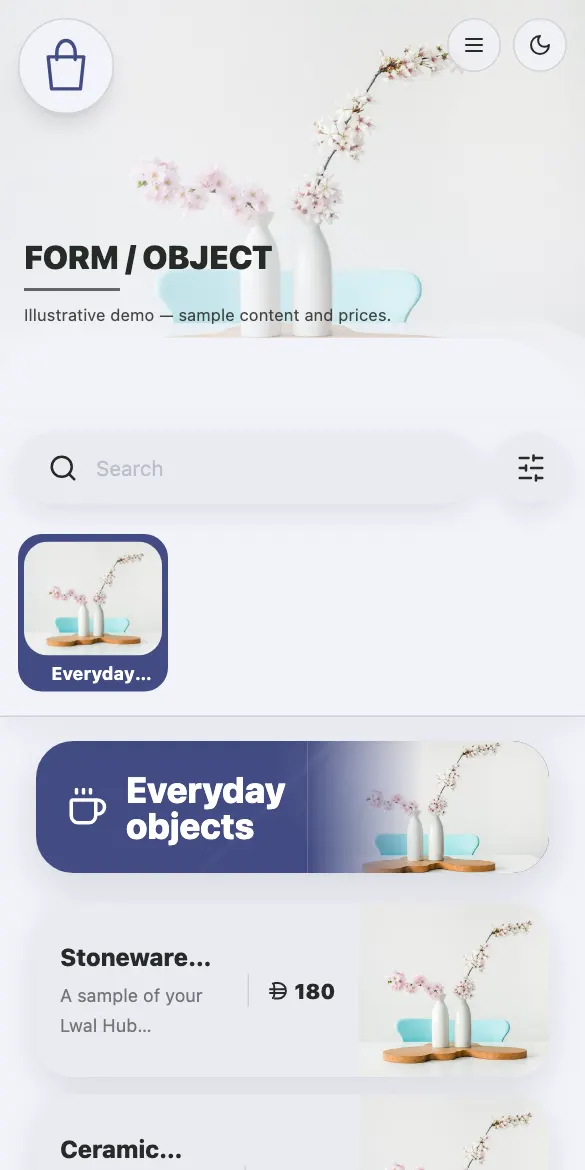
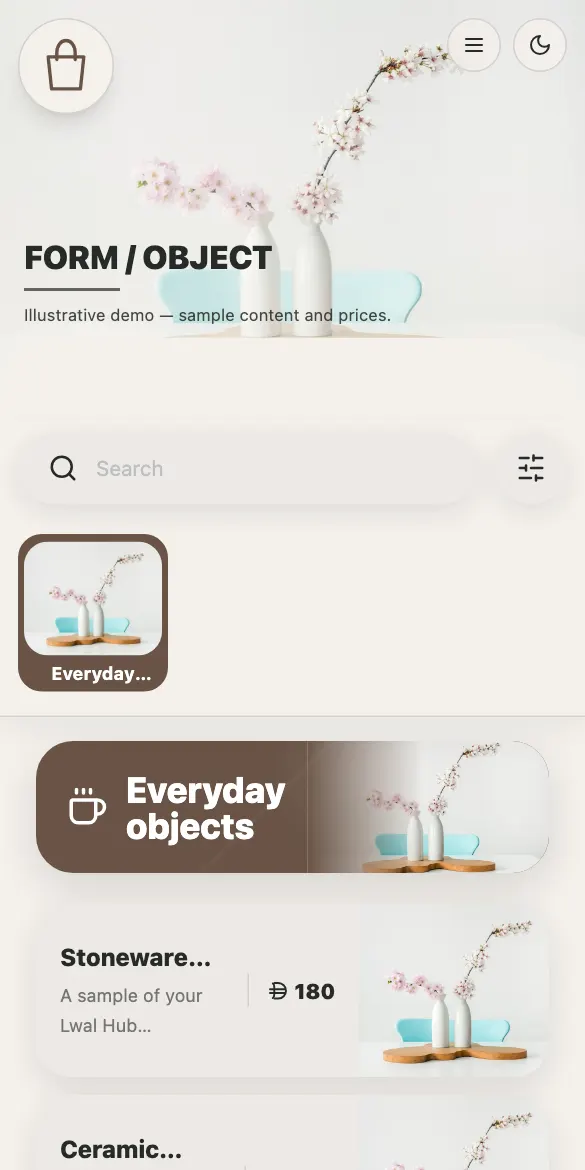
A catalog in its original colors
The same catalog in an indigo palette

Same content, two palettes · actual template

Step 3 / 3

Publish and share.

Publish to get your public link and download its QR code for tables, counters and windows. Turn on WhatsApp requests if you want them, and update prices whenever they change — the link stays the same.

You’ll need

  • A WhatsApp number (optional)
  • Somewhere to print your QR code
QR code that opens the restaurant demo

Try it now

Scan with your phone, or open the link.

lwalhub.com/examples/restaurant ↗

Nº 02 Two ways to start

On your own, or with us.

Self-serve

Build it in your dashboard

  1. Create your account and pick your business type
  2. Add categories, items and prices
  3. Choose a template and colors, then publish

Done with you

Send us what you have

  1. Send a photo of the menu, a PDF or your product list
  2. We agree the scope and setup cost with you before starting
  3. You receive your link, QR code and dashboard

Nº 03 After you publish

The link stays. The content moves.

A price changesThe new price shows on the same link; printed QR codes keep working.
Something sells outHide it with one tap and bring it back when it’s in.
A promotionDiscount an item or the whole catalog, with the original price crossed out.
A new seasonSwitch template or colors without re-entering anything.

Nº 06 Practical questions

Before you begin.

How it works
Is Lwal Hub only for restaurants?

No. You can create restaurant and café menus, retail product catalogs, and service lists for salons, spas and other businesses. Available templates and terminology adapt to the business type.

Can customers pay or book through my catalog?

The public catalog presents your offering. Where configured, selections or inquiries can be sent through WhatsApp. Customer payments, delivery management and appointment booking are not provided by this flow.

Can I use Arabic and English?

Yes. Add and manage content in both languages. Review the translated names and descriptions and choose the languages available to your visitors.

What happens when I change a price?

Update your content and keep the same published catalog link. Visitors opening that link see the current version, so your shared QR materials can continue pointing to it.

How much does it cost?

The plans section displays current prices and included features. Switch between monthly and annual billing to compare the options.

One HourMenu’s up.

Restaurant, café, shop or salon — start with what you offer and share one link. From AED 49 a month.